BetaFree for Windows 10 and 11
Meet Sidekick.
It lives up here with you, at the top of your screen. It notices what you are doing, offers the next step, and waits for your okay. Nothing leaves your PC unless you say so.
Open source, MIT licensed. Works with Claude Code, Codex or a local model, and without AI too.

Morning brief
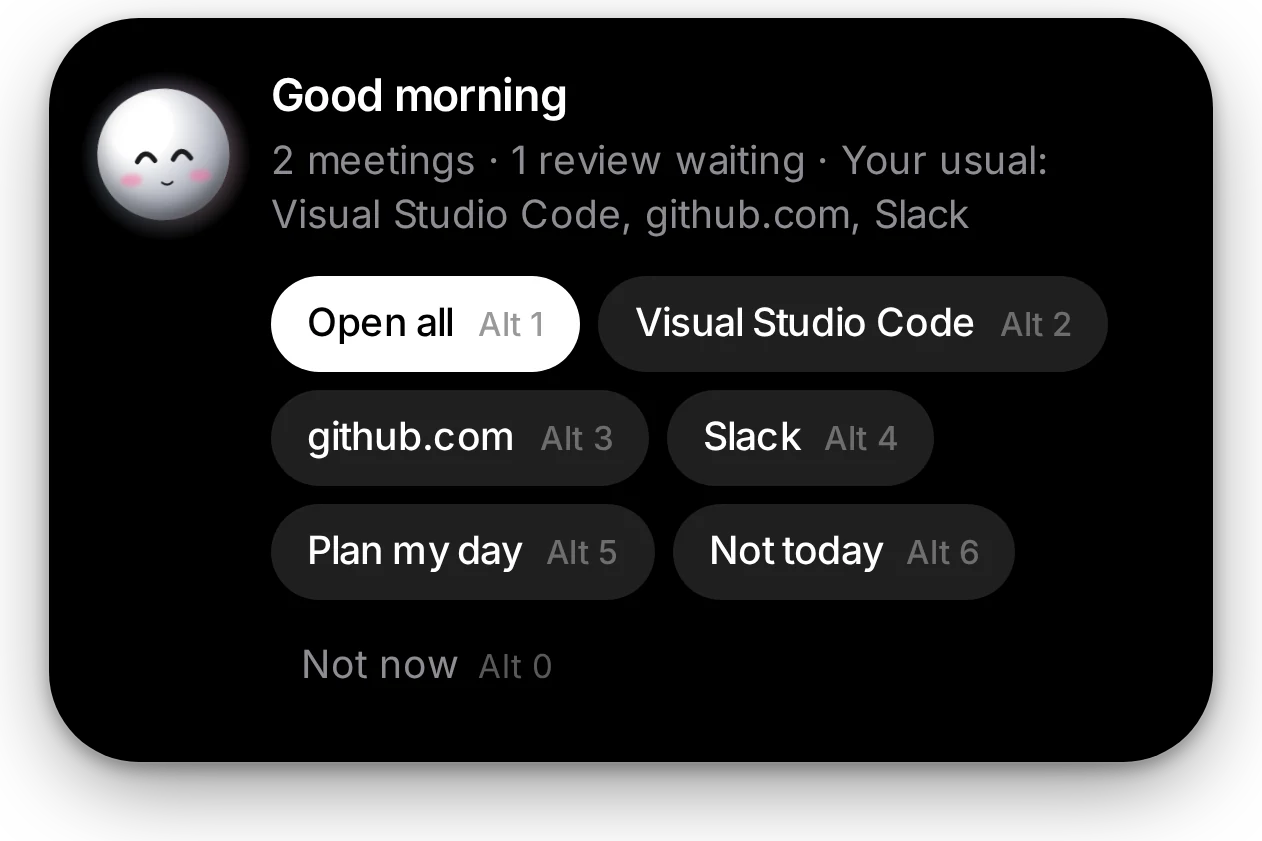
It knows your morning.
The first time you sit down each day, one card: your meetings, the reviews waiting on you, and the apps you always start with.
Press Open all and your morning is ready. Plan my day hands it to your AI.
For developers
It knows what you’re building.
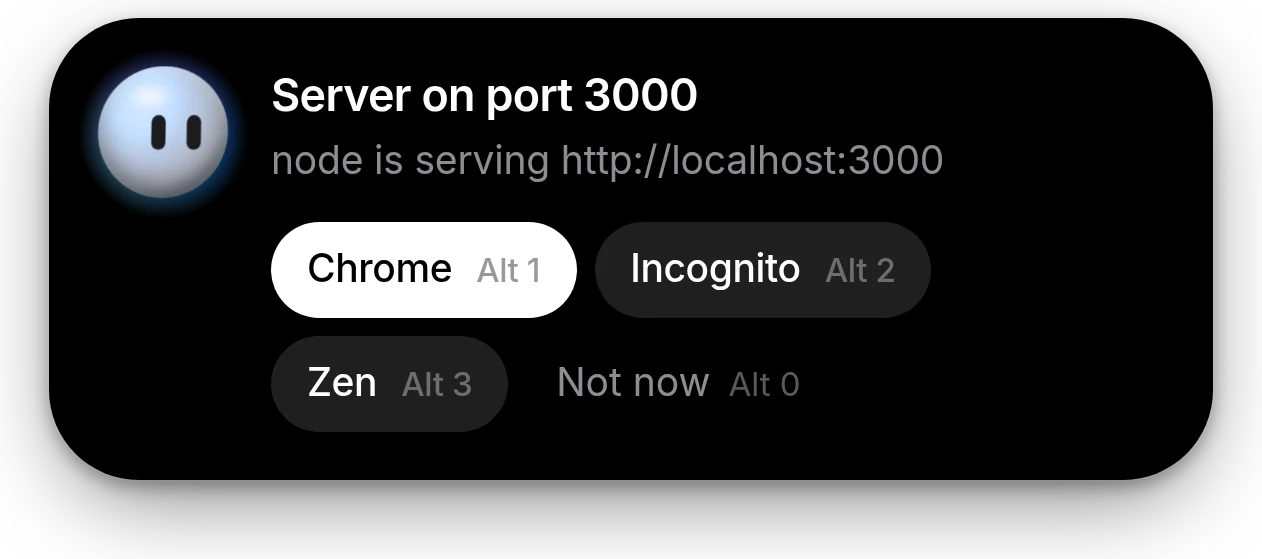
Start a dev server and within a second it offers to open it in Chrome, Incognito, Zen, Edge or Firefox. It works from WSL too.
Copy an EADDRINUSE error and it offers to free the port. When a Claude Code session finishes or needs you, the island tells you.
PS C:\dev\shop> npm run dev
> next dev
▲ Next.js 15.0.3
- Local: http://localhost:3000
✓ Ready in 1.2s
Ask mode, Ctrl + Space
Your AI. Your choice.
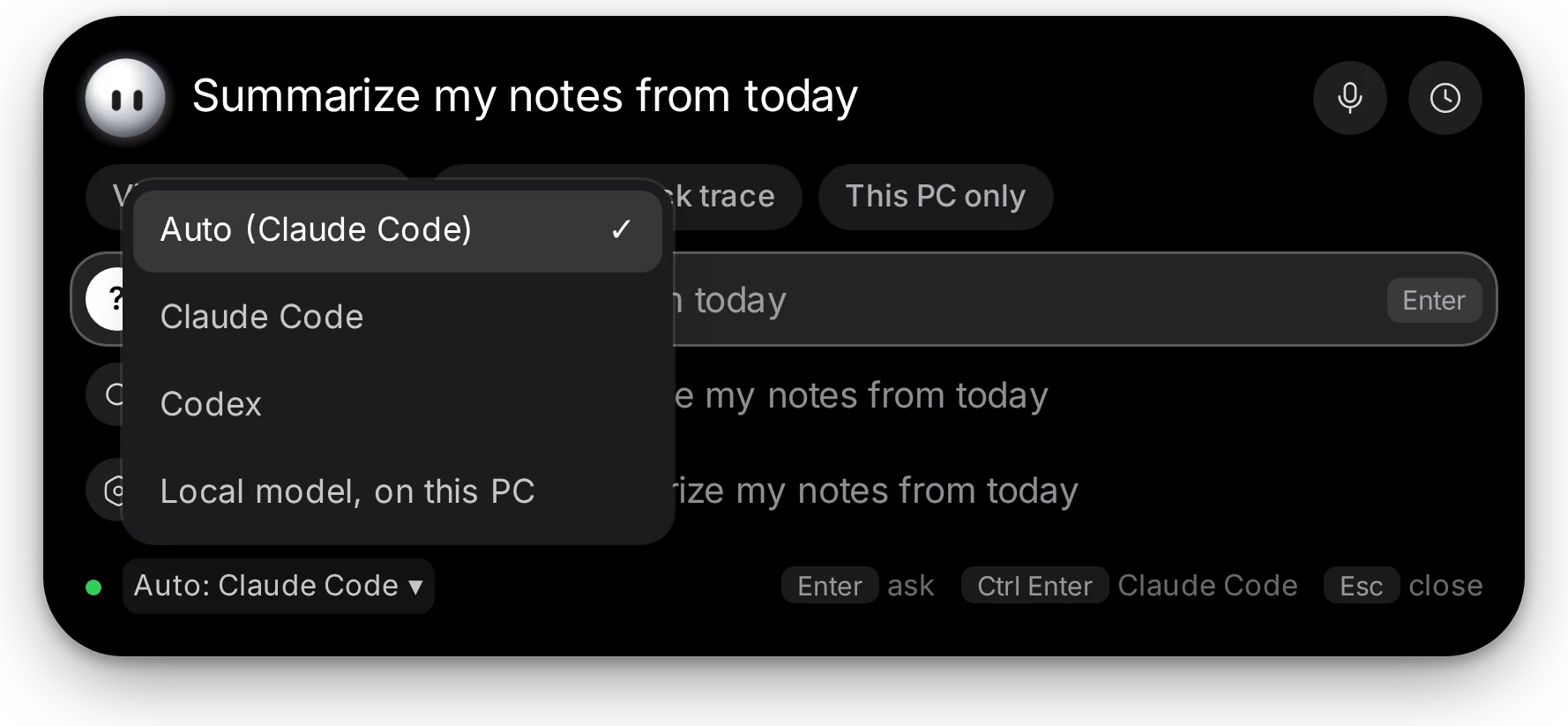
Use Claude Code or Codex with the plan you already have. Or run a local model, if your machine is up for it.
Use any of them, or all three, and set the order it tries. No AI at all? Rules still handle the everyday moments.
Privacy
Private by default.
Sidekick is local-first. It notices things so it can help, and it keeps what it notices to itself.
Read the privacy notes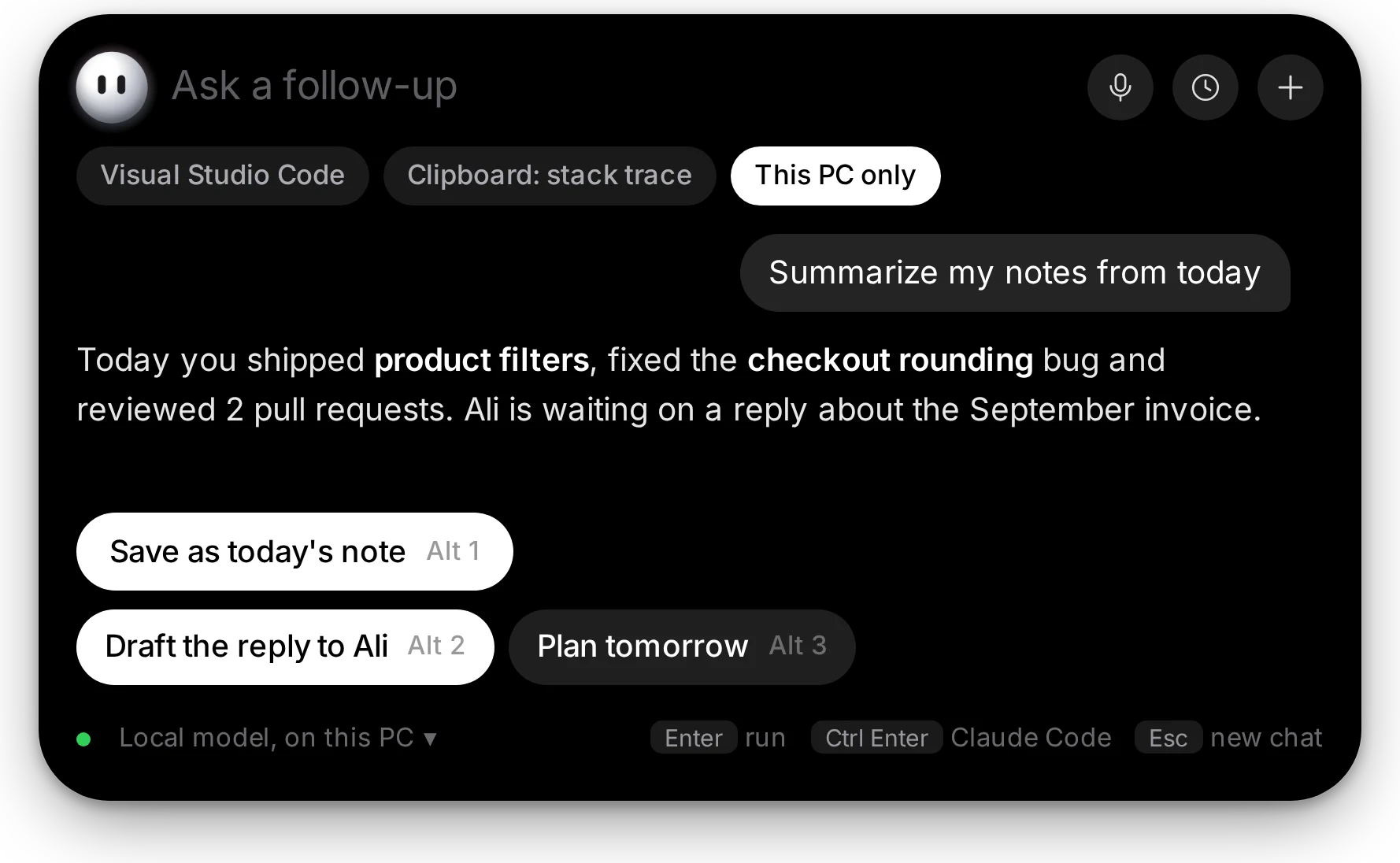
Stays on your PC
Events, history and settings live on this machine. AI and online services are used only for what you turn on.
This PC only
One chip keeps a chat on a local model. It still answers with Wi-Fi off.
Waits for your okay
Safe actions can run on their own. Everything else waits for one click, and anything destructive always asks.
Undo for 24 hours
Files it creates, like conversions and extracted folders, can go to the Recycle Bin from the island.
Only when you ask
It reads your screen only when you ask it to. Passwords and API keys you copy are cleared from the clipboard after 30 seconds.
Open source
Every line is on GitHub under the MIT license, so you can read exactly what it does.
Voice
Just say “Hey Sidekick.”
Ask out loud and watch your words appear as you speak. The answer is read back with speech that runs on your PC.
Talk over an answer to stop it, and reply without the wake word. You can even answer a suggestion with “the first one”.
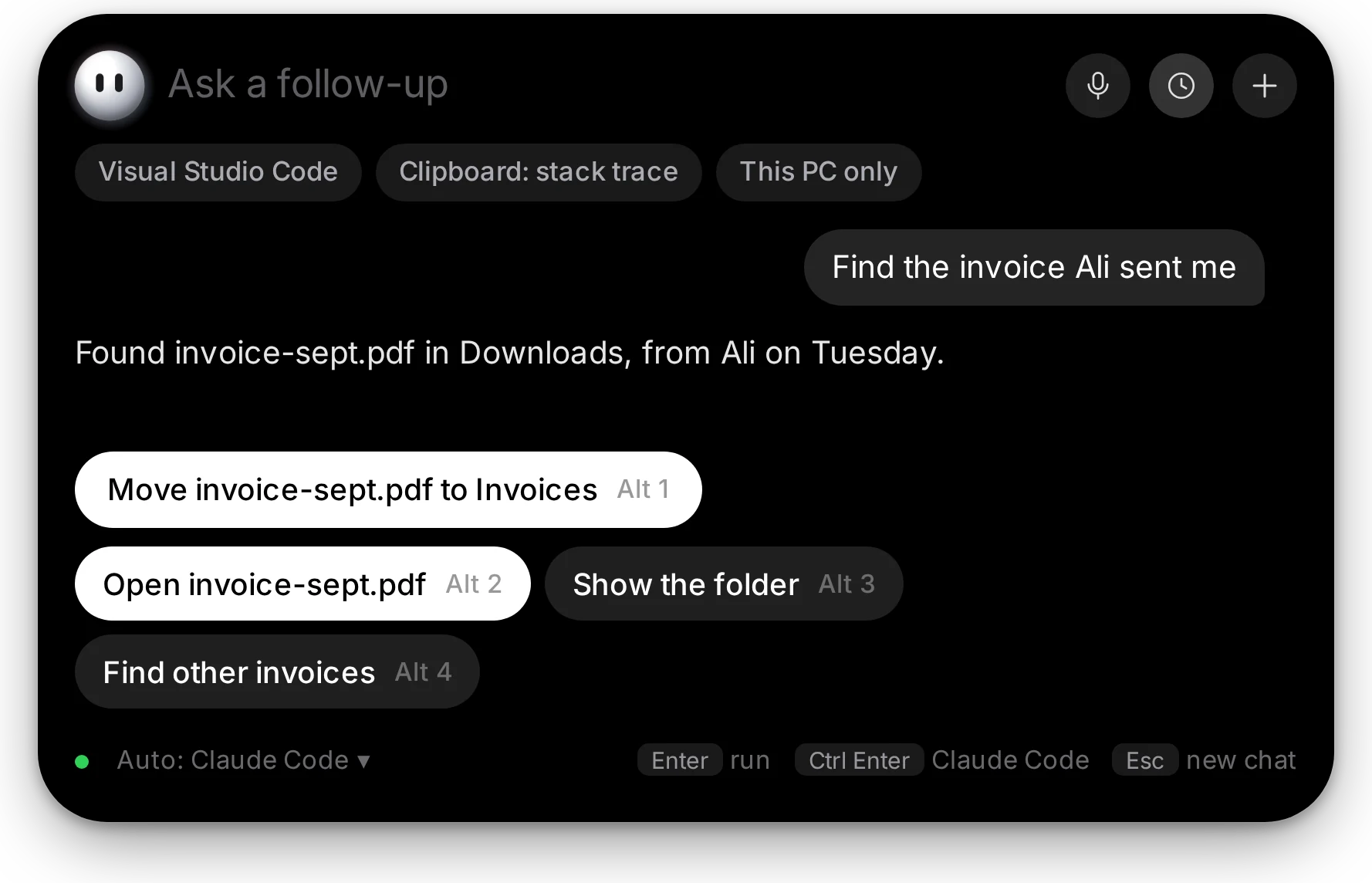
And so much more.
Everyday moments where one click saves you five. Switch any of them on, off or to automatic, and write your own skills in YAML.
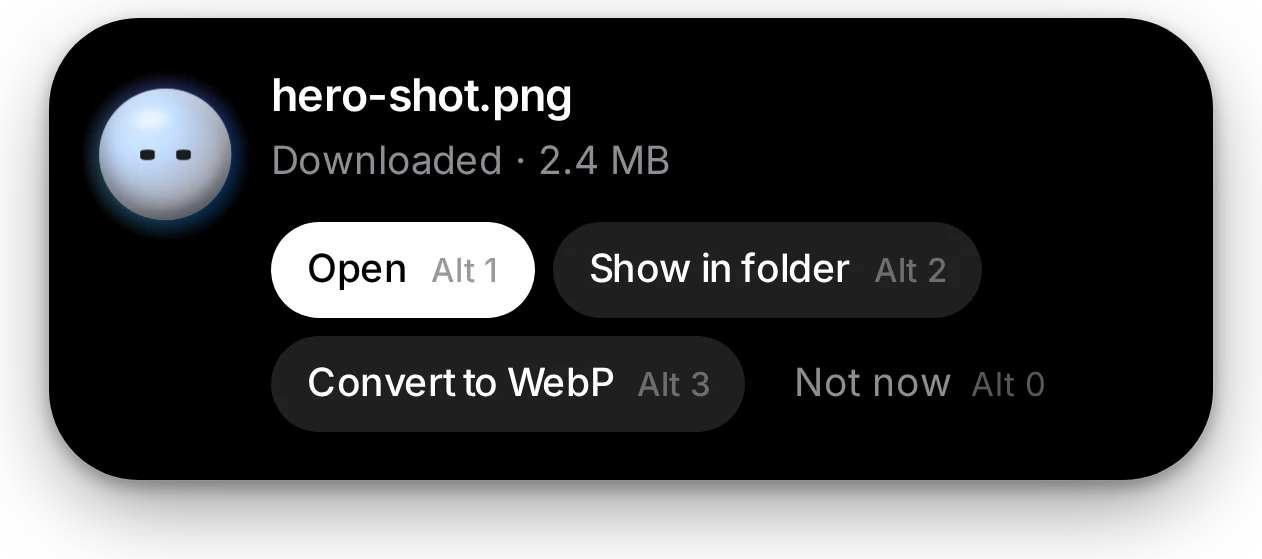
A download finishes
Open, show in folder, or convert it: images to WebP, videos to MP4, Office files to PDF.
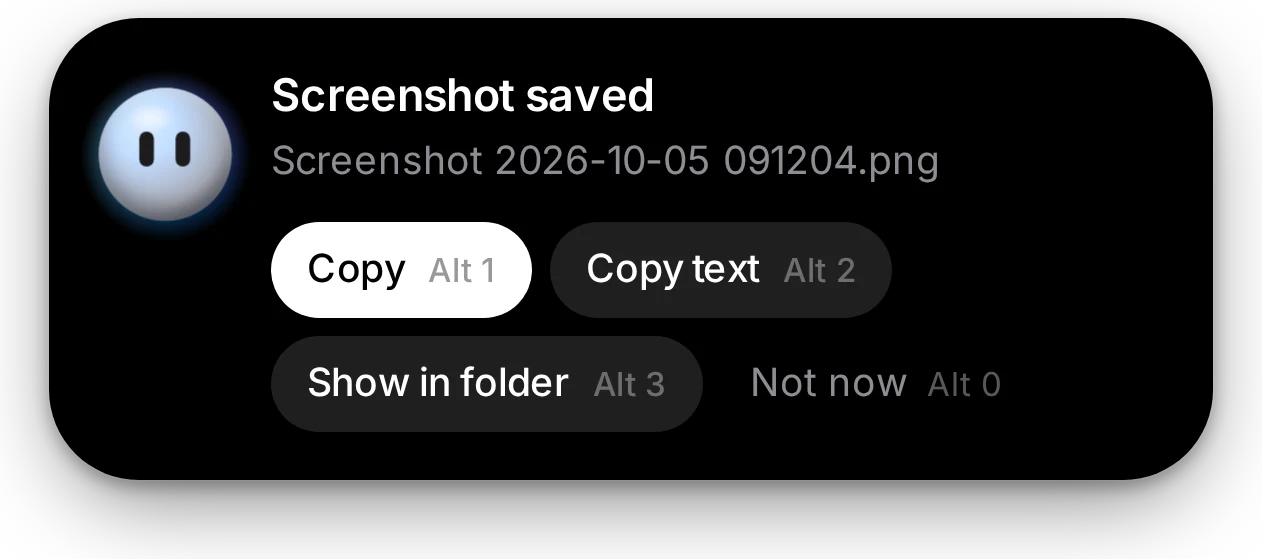
You take a screenshot
Copy it, or copy the text inside it with on-device OCR.
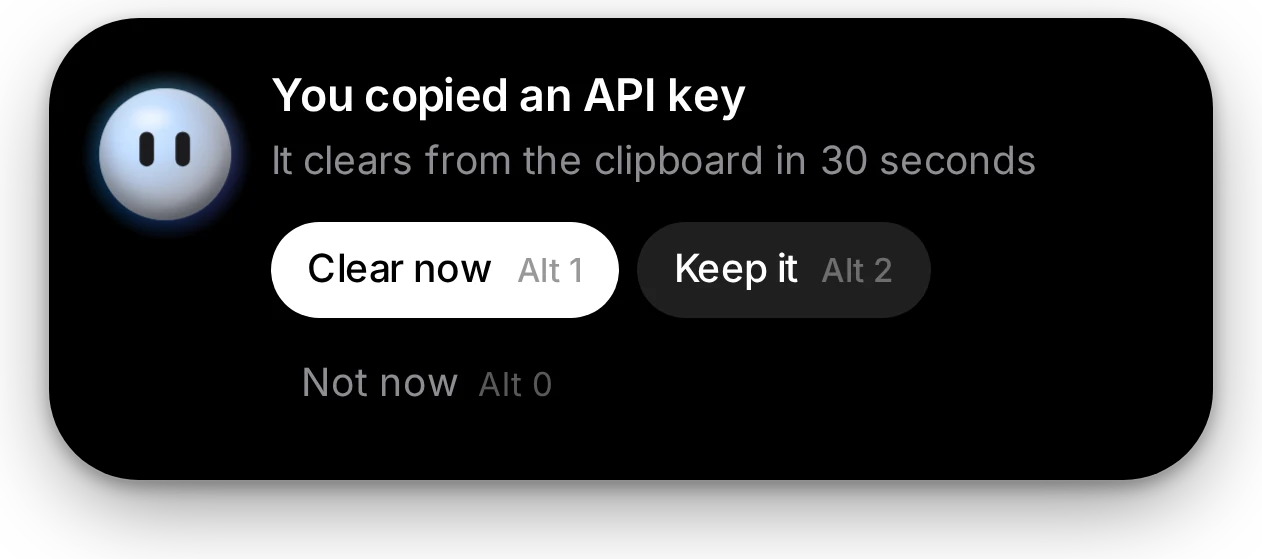
You copy an API key
It clears from the clipboard in 30 seconds, unless you keep it.
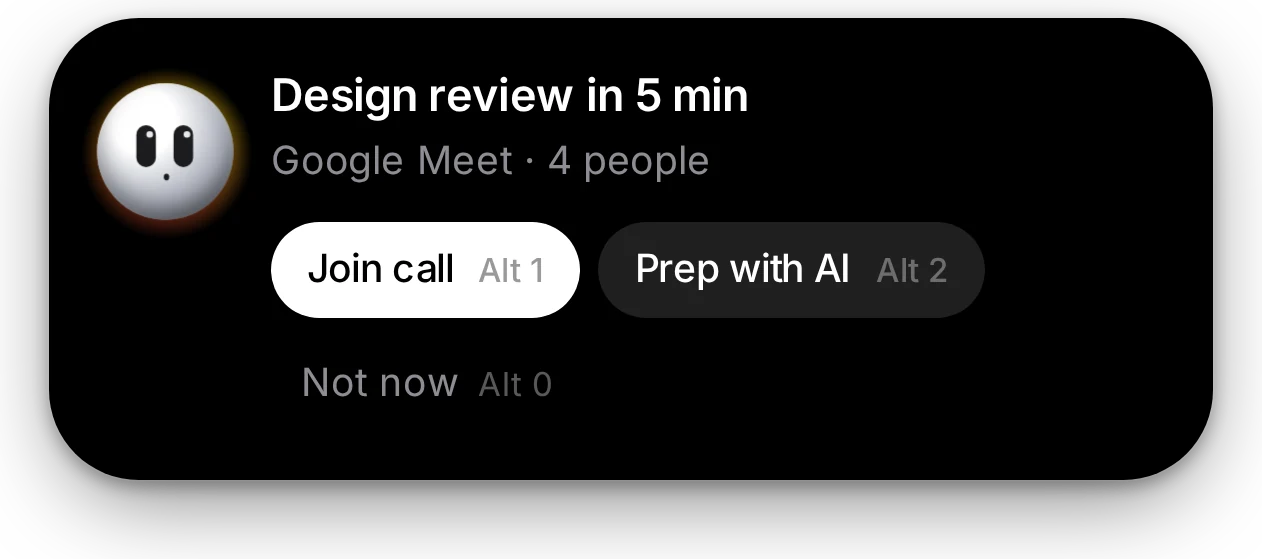
A meeting is close
Join the call or prep with AI. Suggestions wait while you are in it.
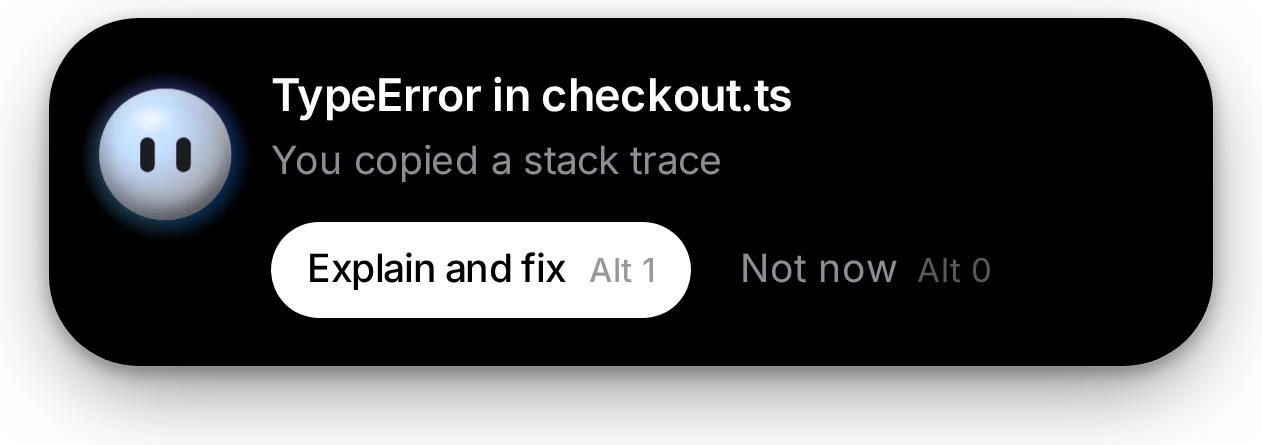
You copy an error
Explain and fix asks your AI with the stack trace attached.
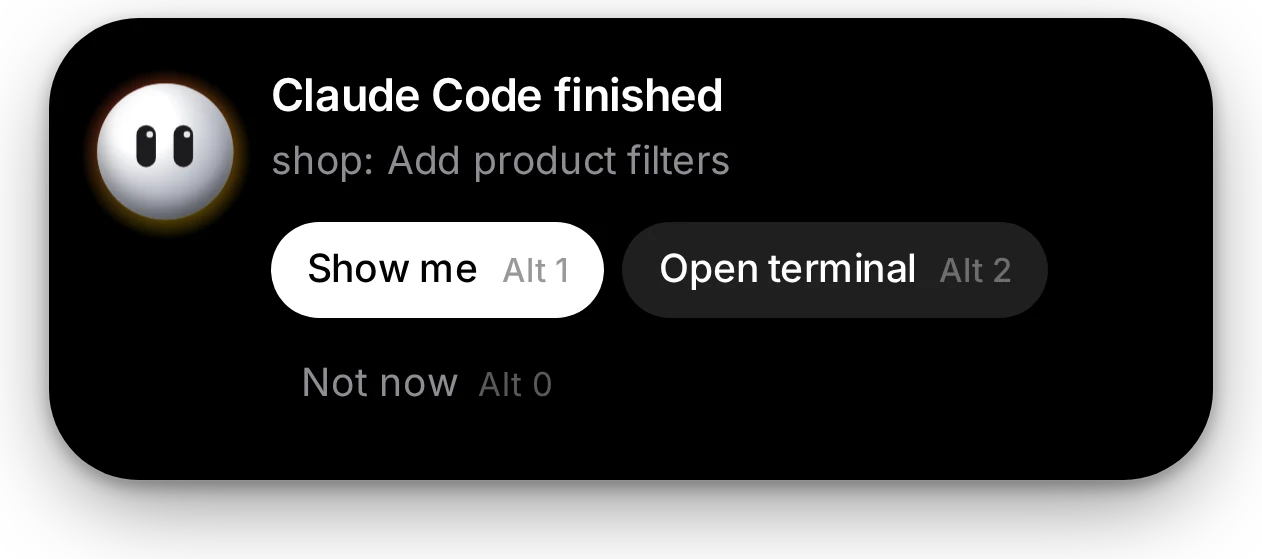
Claude Code finishes
Jump back to the result, or open the terminal it ran in.
Forty seconds with Sidekick.
Install
Up and running in a minute.
- Step 1
Download
Get the latest installer from GitHub Releases. Sidekick_x.y.z_x64-setup.exe is the one for most people; the .msi is for managed installs.
- Step 2
Run it
If Windows shows “Windows protected your PC”, click More info, check it is the Sidekick installer, then Run anyway. Releases are not code signed yet.
- Step 3
Say hello
Sidekick starts in the island at the top of your screen and walks you through setup. Updates arrive in the island on their own.
Windows 10 and 11, 64-bit. The installer adds the WebView2 runtime if it is missing.
Questions, answered.
Is Sidekick free?
Yes. It is free and open source under the MIT license. The code is on GitHub.
Is it ready for everyday use?
Not quite yet: Sidekick is in beta. You may still hit rough edges, and things can change between versions. Updates arrive in the app with one click. If something breaks, please open an issue.
Do I need an AI subscription?
No. Rules handle the everyday moments without any AI. For answers, drafts and multi-step tasks, connect Claude Code or Codex with the plan you already have, the Anthropic API, or a local model through Ollama.
Does it send my data anywhere?
Your events, history and settings stay on your PC. AI and online services are only used for what you turn on, and This PC only keeps a chat on a local model. Screen reading happens only when you ask.
Will it do things without asking?
Only safe actions you have set to automatic. Everything else waits for one click, and anything destructive always asks. Files it creates can be undone for 24 hours.
Which Windows versions does it support?
Windows 10 and 11, 64-bit. The installer sets up the WebView2 runtime if it is missing.
Why does Windows warn me when I install it?
The installers are not code signed yet, so SmartScreen may show “Windows protected your PC” on first run. Click More info, then Run anyway. The warning goes away once releases are signed.
How do I know the download is safe?
Every release ships a SHA256SUMS.txt with a fingerprint for each installer. In PowerShell, run Get-FileHash .\Sidekick_x.y.z_x64-setup.exe -Algorithm SHA256 and compare the result with the one in that file. If they match, the file is exactly the one we released. Updates are checked the same way before they run.
How big is the voice download?
About 205 MB of speech models, downloaded once the first time you use voice. You can turn voice off in Settings.
Can I teach it new tricks?
Yes. Drop YAML files into your skills folder and they show up in Settings. The format is in the skills guide.